1-2 players
4 GB RAM
$7.99 / monthChoose ExplorerRUNESCAPE: DRAGONWILDS HOSTING
Give your group a dependable Dragonwilds world to build, explore, and return to. Keep the practical controls, world imports, and routine protection in one straightforward panel.
PICK YOUR WORLD
Player counts are recommendations, not hard caps. Choose the memory tier that fits your group's activity, build size, and mod load. Every plan includes panel access, daily backups, scheduled maintenance, and world-import tools.
4 GB RAM
$7.99 / monthChoose Explorer6 GB RAM
$11.99 / monthChoose Warden8 GB RAM
$15.99 / monthChoose DragonlordYOUR WORLD, UNDER YOUR CONTROL
Use the SideQuest panel for the routine work between sessions. View your live console, manage world access, bring over an existing save, and keep the details close to the people playing.
The customer panel allows you to easily adjust server and player settings in one centralized area.
Explore tabs such as Easy Config, World Import, Files, and more.
Daily backup and scheduled maintenance help keep the world ready for the next session.
NO LONG SALES FUNNEL
Choose the plan that fits the world you want to run, complete secure checkout, then manage the day-to-day work through your own panel.
Select a plan that suits your group's activities, builds, and mods.
Payment is handled securely. We do not collect or store your card details.
Be sure to enter your RuneScape Player ID in Easy Config before first start, then set your world details and invite your group.
THE REAL SIDEQUEST PANEL
Use actual SideQuest panel tools to manage the console, files, imports, and Dragonwilds Easy Config without digging through raw server paths.
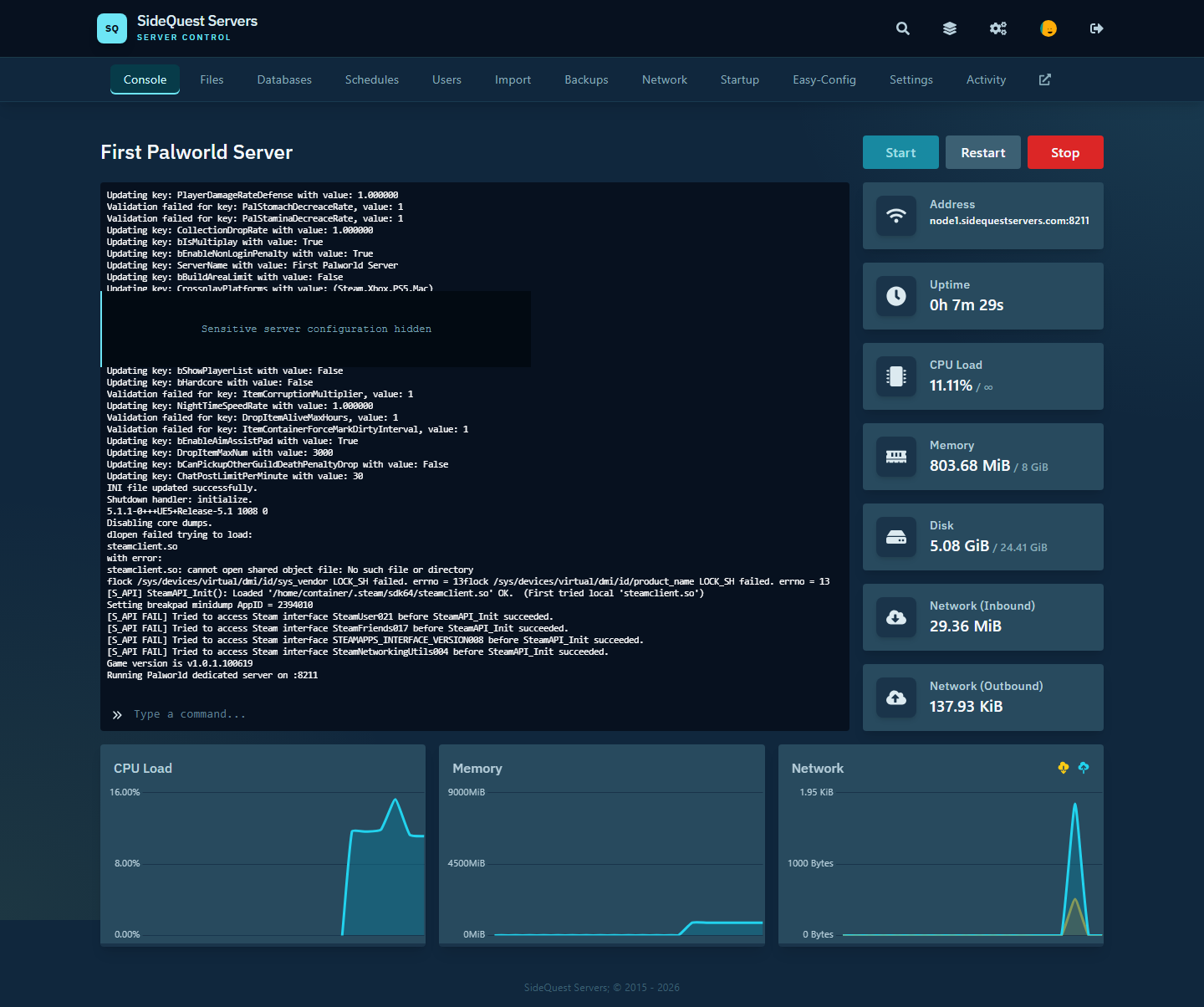
Start, restart, follow the server output, and monitor the world as it comes online.
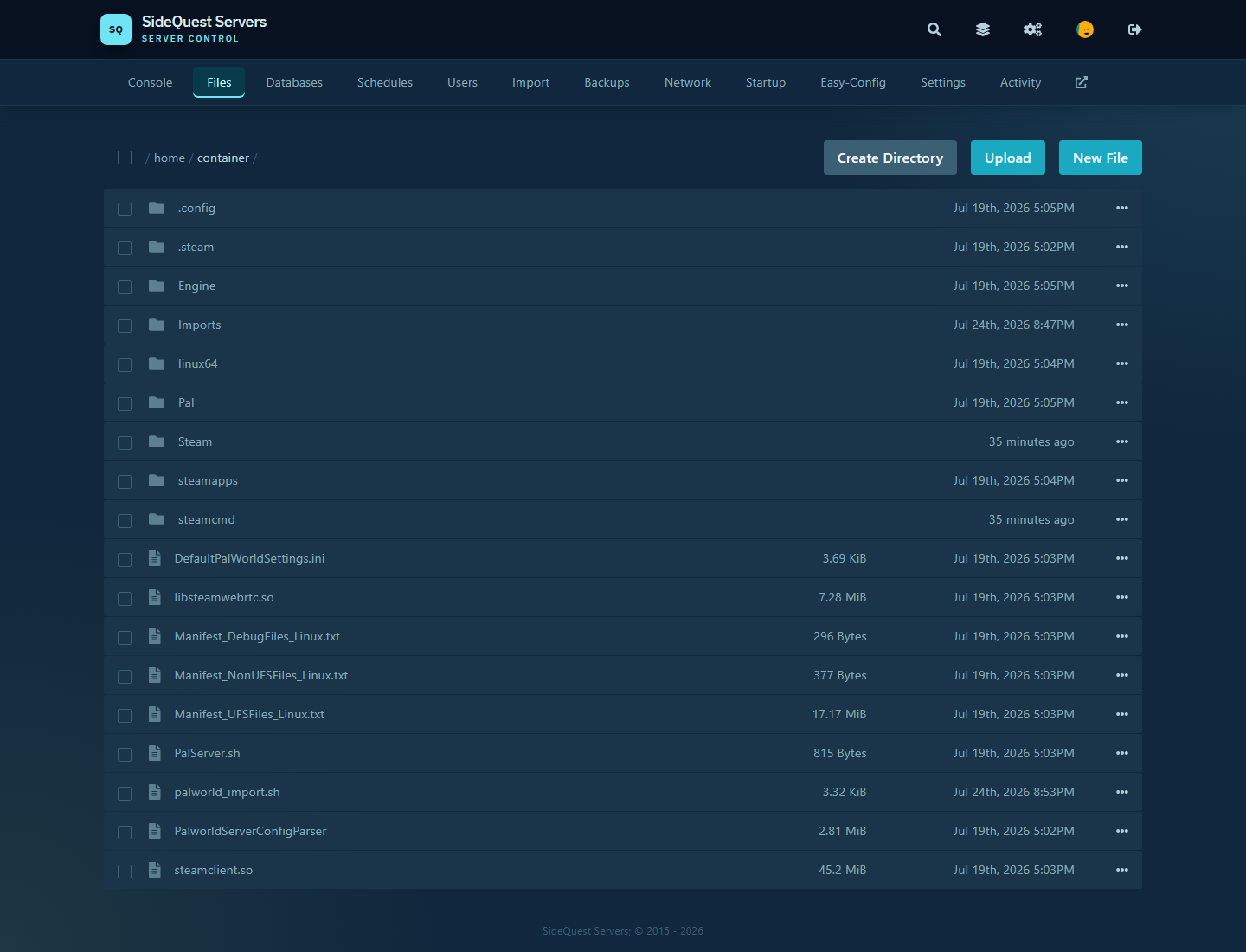
Browse and manage the files that make up your server.
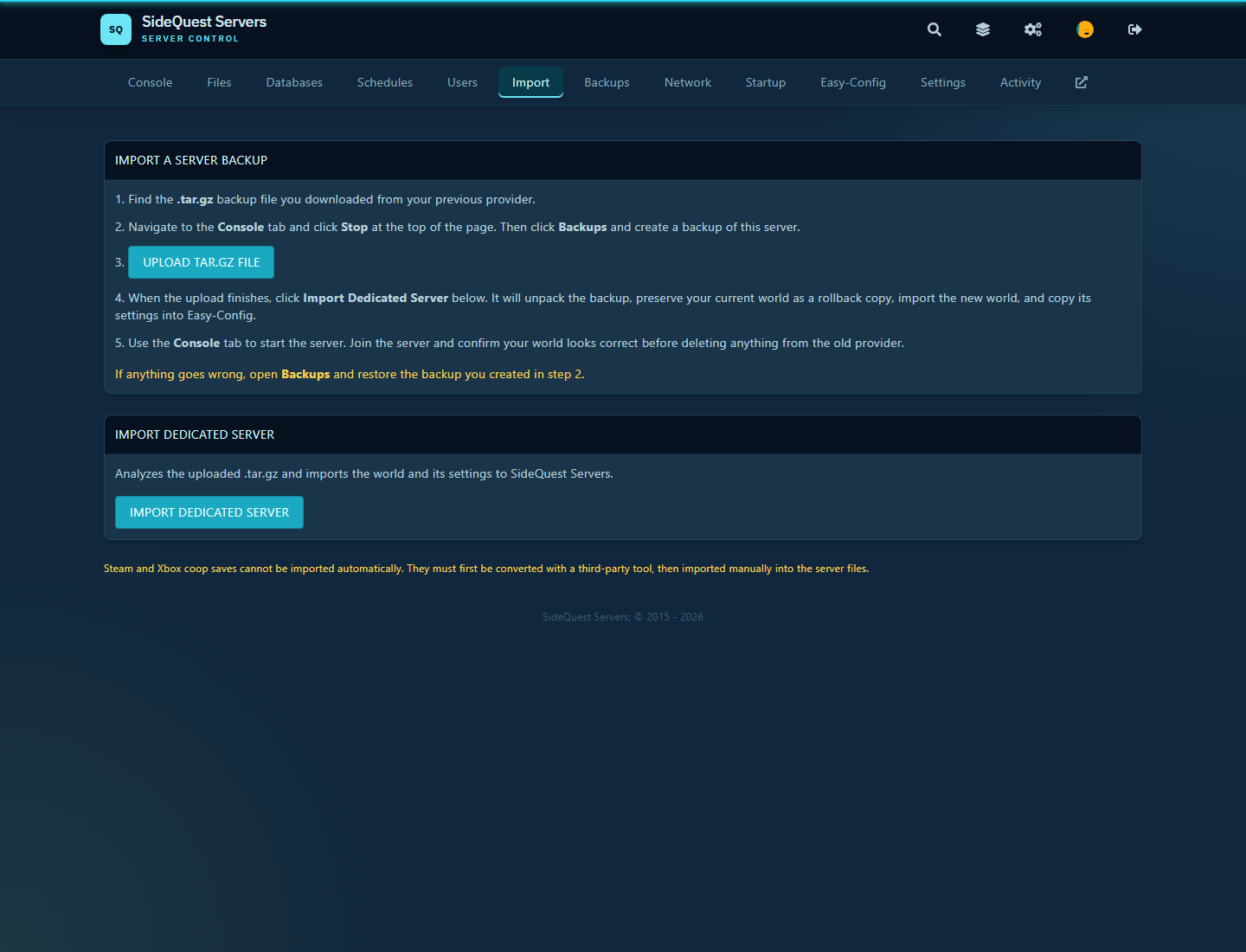
Move an existing Dragonwilds save with guided detection and rollback protection.

Set your Player ID, world details, passwords, and player settings through clear controls.
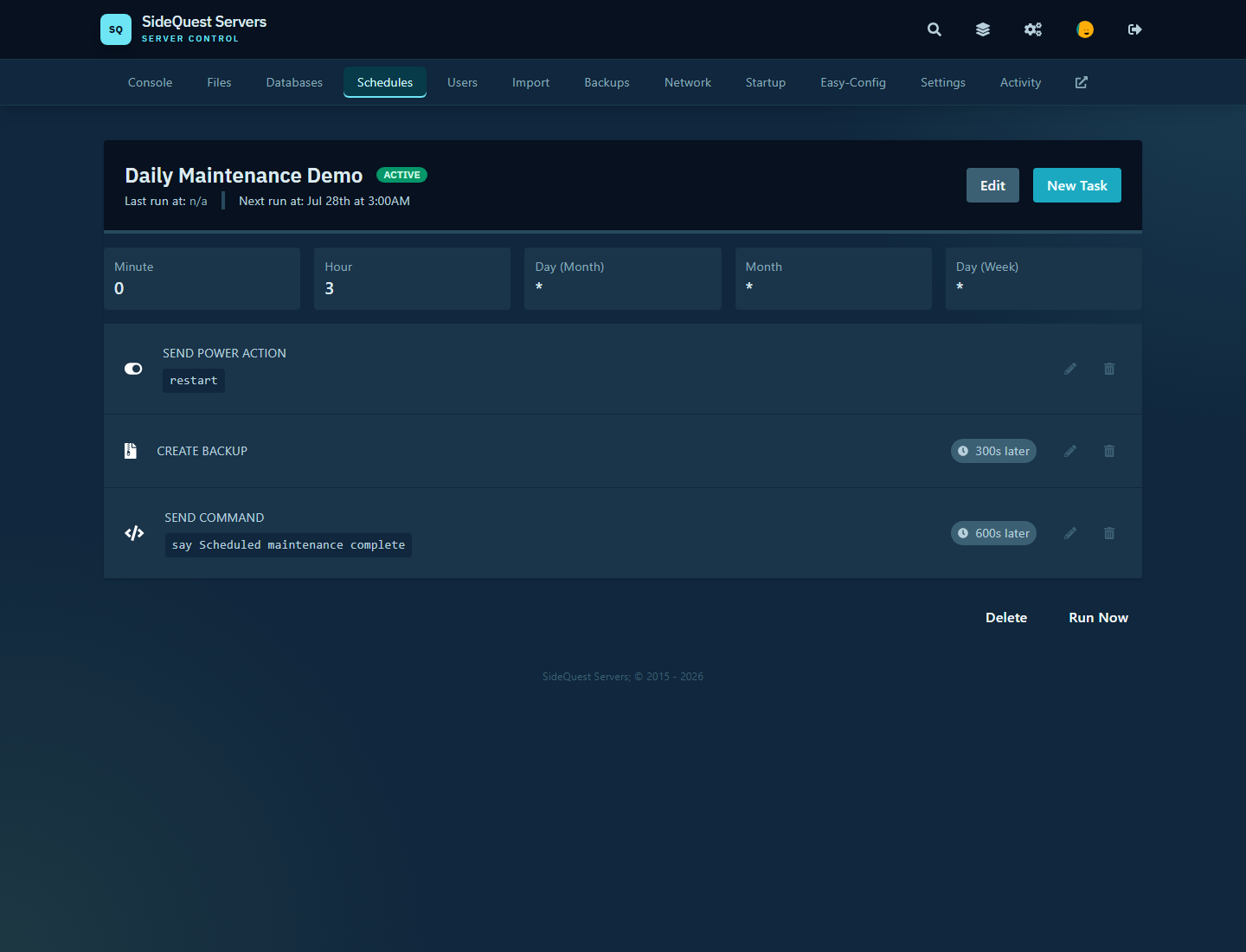
Keep a reliable routine for saves, backups, restarts, and maintenance.
DRAGONWILDS FAQ
Know what is configurable, what to bring from an existing world, and where support begins and ends.
RuneScape: Dragonwilds supports crossplay between PC versions on Steam, Epic Games Store, and the Jagex Launcher, plus PlayStation 5, Xbox Series X|S, and Nintendo Switch 2. Enable crossplay when hosting the world.
No. The 4 GB, 6 GB, and 8 GB tiers are memory recommendations, not player caps. Choose based on world activity, builds, and mod load.
Mods are allowed but not supported. We support the base server configuration; mod compatibility, installation, and mod-related performance issues are customer-managed.
Yes. The Panel includes a Dragonwilds world importer. It checks for a supported save directory, requires the server to be offline, and preserves the generated data as a rollback copy.